
Fable Learning Center
How to submit a request with Fable’s cognitive audience
Learn how to conduct research with members of Fable’s Community with cognitive access needs.
Creating a cognitive research request
You can meet with members of the cognitive audience in moderated user interviews to test laptop/desktop and mobile flows.
When setting up your user interview request in Fable Engage, select Cognitive as the audience and choose the applicable device type.
Testing through other request types with cognitive testers is not currently available.
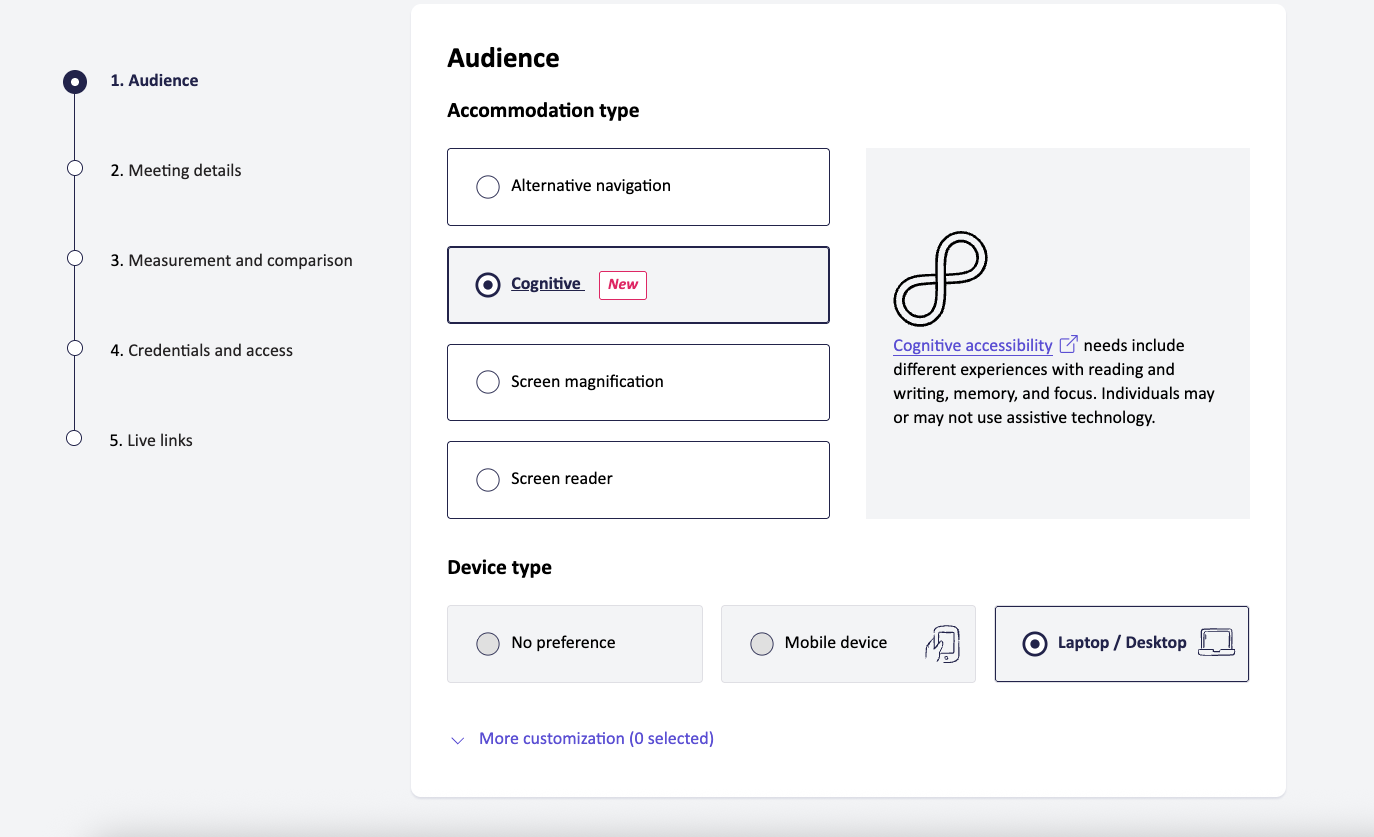
Select the right accommodation type for your research goals
Once you’ve selected the Cognitive audience, you have the option to select an Accommodation: Memory support, Focus support, or Reading and writing support.

Fable’s needs-based approach to cognitive accessibility
Fable uses a needs-based approach to define Community audiences, rather than aligning to medical diagnoses. Community members in the cognitive audience self-identify with needing support with one or more of the following:
- Focus support
- Reading and writing support
- Memory support
The needs and challenges of each cognitive accommodation type
| Accommodation | Needs | Challenges |
|---|---|---|
| Focus support | Maintaining attention and managing distractions | Challenges maintaining attention, filtering distractions, or working with visually or auditorily busy interfaces. |
| Reading and writing support | Understanding written content and writing text | Difficulties understanding dense content, interpreting unfamiliar terminology, or completing written communication. |
| Memory support | Remembering and recalling information | Challenges with recalling information, navigating multi-step tasks, or remembering pathways. |
The needs and challenges of each cognitive accommodation category
| Accommodation | Needs | Challenges |
|---|---|---|
| Focus support | Maintaining attention and managing distractions | Challenges maintaining attention, filtering distractions, or working with visually or auditorily busy interfaces. |
| Reading and writing support | Understanding written content and writing text | Difficulties understanding dense content, interpreting unfamiliar terminology, or completing written communication. |
| Memory support | Remembering and recalling information | Challenges with recalling information, navigating multi-step tasks, or remembering pathways. |
AUS modifications for cognitive research
Fable’s Accessibility Usability Scale (AUS) provides a measurement of usability. It is an adaption of the commonly-used System Usability Scale (SUS).
The AUS is modified for cognitive testers to ensure it is applicable even when assistive technology is not being used, and for other accommodations.
Question modifications for cognitive testers
- Question 5 is updated to “I understood how to interact with the web-based product/native application.”
- Question 7 is updated to “I found it easy to focus on what I was trying to do with the web-based product/native application.”
- Question 8 is updated to “I thought the web-based product/native application was overwhelming to use.”
How to set an AUS target
The AUS target is set the same way across all accommodation types, including cognitive research.
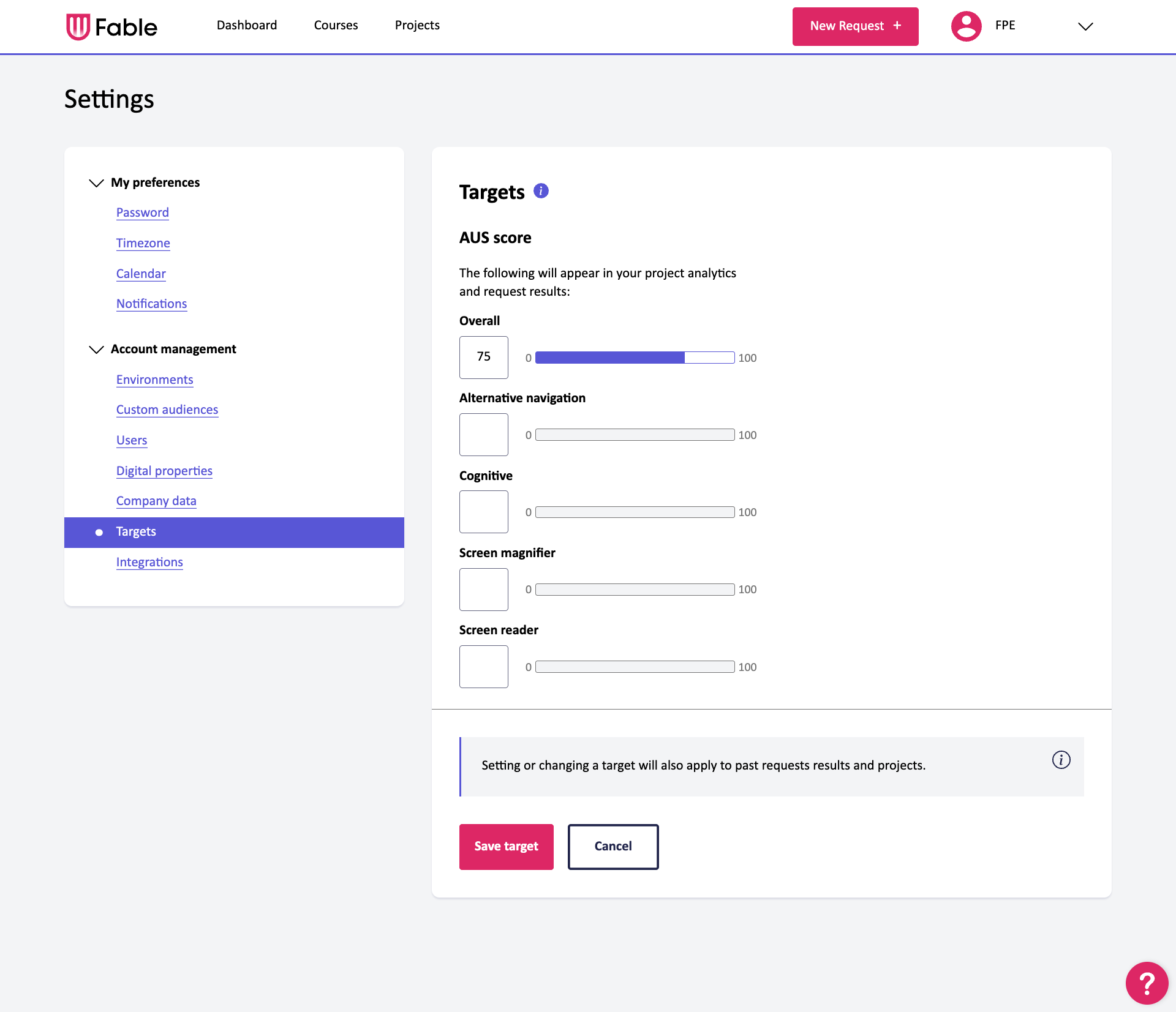
Resources to help you get started
Support and troubleshooting
If you have questions or require platform support, email support@makeitfable.com.