
2026 Fable Community Research Panel Report
Fable’s panel supports inclusive product development and accessibility insights across the research and testing lifecycle, from early exploratory research to QA and WCAG standards-based testing. By engaging people with disabilities directly, Fable surfaces lived experience insights that automated tools and audits cannot capture on their own.
2026 Fable Community Research Panel Report
Fable’s panel supports inclusive product development and accessibility insights across the research and testing lifecycle, from early exploratory research to QA and WCAG standards-based testing. By engaging people with disabilities directly, Fable surfaces lived experience insights that automated tools and audits cannot capture on their own.
Fable’s community is built to deliver accessibility insights teams can trust
At Fable, we’re committed to digital inclusion for all. Our Community of people with disabilities combines lived experience, vetted assistive technology proficiency, training, and research reliability, so teams get clearer accessibility insights faster. They play a vital role in enhancing global digital accessibility by bringing insights of real people into the mix. This report highlights how Fable’s research panel stands apart from other accessibility research panels through:
What this means for accessibility research

“The feedback loop we’ve built through Fable has been crucial. We can consider accessibility much earlier in the design process, enabling us to pull accessibility further left. As we’re creating new features, we’re testing with assistive technology users and iterating based on their feedback.”
Andrew Gosine, Principal Product Designer, Slack
“The feedback loop we’ve built through Fable has been crucial. We can consider accessibility much earlier in the design process, enabling us to pull accessibility further left. As we’re creating new features, we’re testing with assistive technology users and iterating based on their feedback.”
Andrew Gosine, Principal Product Designer, Slack
What makes Fable’s Community different
Accessibility insight depends on more than simply recruiting people with disabilities. It requires participants who can navigate digital products using assistive technologies or other access needs, and translate that experience into clear, actionable feedback.
Fable’s Community combines those capabilities through:
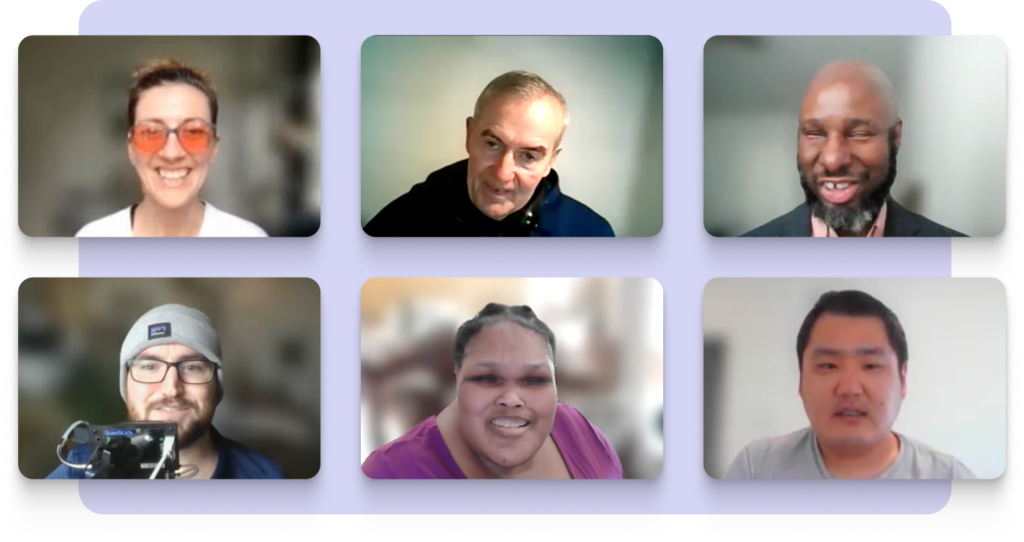
This combination means you’re not just hearing from users, you’re working with participants who know how to articulate barriers, explain impact, and guide better decisions. Participants who have built experience over time through repeated participation across many products, industries, and research contexts.
Data deep dive
How Fable recruits Community members
Before joining Fable’s Community, all applicants must have at least two years of experience using their assistive technology or with their access need. As part of the applicant evaluation, people participate in a live sample task and are assessed for their communication skills, ability to problem-solve, and effective use of their specific assistive technology or access needs during testing.
Applicants must achieve a minimum 80% quality score to join our Community. This helps ensure Fable’s Community includes people who can explain their lived experience and recognize whether a challenge comes from the accessibility of the product itself, their own setup, or unfamiliarity with the experience. The result of vetted participants is clearer, more actionable accessibility insight.
“Your testers consistently provide thoughtful, high-quality feedback that has helped us improve our learning platforms and products. As an accessibility tester myself, facilitating and observing sessions has deepened my understanding of digital accessibility from your testers’ perspectives. It has meaningfully shaped how I approach my own testing and what I look for.”
— Josh Cohen, Senior Accessibility Tester, Canada School of Public Service
Trained for customer research
After joining Fable’s Community, all testers complete training on security, confidentiality, and how to use the Fable platform. They are also trained on the specific types of research they are matched to, such as User Interviews, Compatibility Tests, and QA Sessions, as well as how to complete Fable’s Accessible Usability Scale survey.
Before taking part in customer requests, every tester also completes a final live training session with a Fable team member. Fable training reduces no-shows, minimizes technical difficulties in sessions, and improves feedback quality.
Fable’s panel growing capabilities
Fable’s Community growth focus is on recruiting to add more depth and expertise across a wide range of assistive technology and accommodations, while scaling to address the research needs of enterprise organizations. The recent addition of cognitive testers and the UK community is proof of that.
Compared to other disability panels which are recruited ad-hoc and can take weeks to assemble, Fable’s engaged Community can provide insights from multiple testers with a 2 to 5 day turnaround. Fable also supports enterprise customers who need custom audiences that meet specific product usage requirements.
Access needs, assistive technology, and devices
Fable’s research panel is built from a Community of people with disabilities who have 40+ unique assistive technologies and access needs. Fable’s platform enables teams to design research around real-world accessibility needs, connecting with people whose lived experiences, technologies, and contexts reflect their own users and customers. This broad coverage helps teams reproduce accessibility issues that show up in real use cases and get clear direction on what to fix.
Fable’s Community is represented through access needs: the specific accommodation types or assistive technologies that are used to complete tasks in everyday digital experiences. These access needs are organized into four accommodation types:
“Sharing video clips of Fable testers using certain flows on our site and app has been extremely helpful. A clip of someone using assistive technology to illustrate the issue and put the guideline in perspective for a real user has been very impactful for the whole digital team.”
— Annabel Weiner, Accessibility Research Lead, Ally Bank
By breaking the panel down by accommodation type, teams can understand how experiences differ across access needs— how it is read with a screen reader, viewed with screen magnification, navigated using alternative navigation, or understood by people with cognitive access needs — making it easier to determine where issues occur in the experience and which access needs are impacted.
Access needs
Access needs include both tool-based and needs-based ways of completing digital tasks. For our cognitive testers, Fable uses a needs-based approach that focuses on support areas like memory, reading and writing, and focus, rather than specific tools. Learn more about the cognitive insights our Community provides.
“2 sessions with cognitive users feel like 200 because of the volume of insights we get.”
Luis Torres, UX Manager at Bell Media
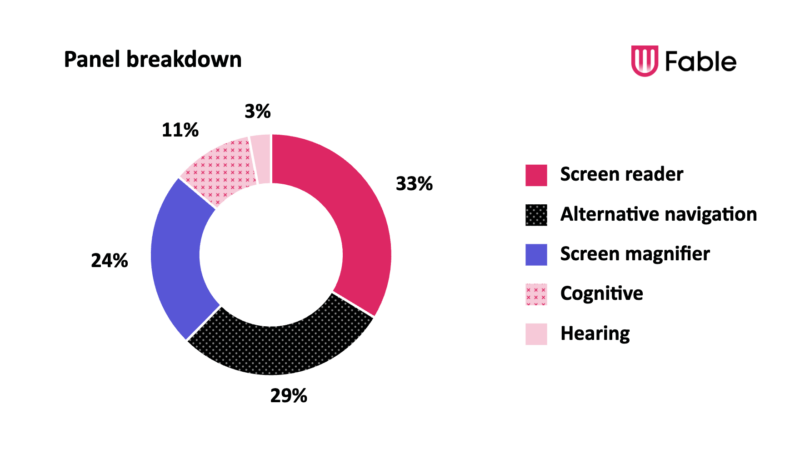
Panel Breakdown
- Screen reader – 34%
- Alternative navigation – 29%
- Screen magnifier – 24%
- Cognitive – 11%
- Hearing – 3%
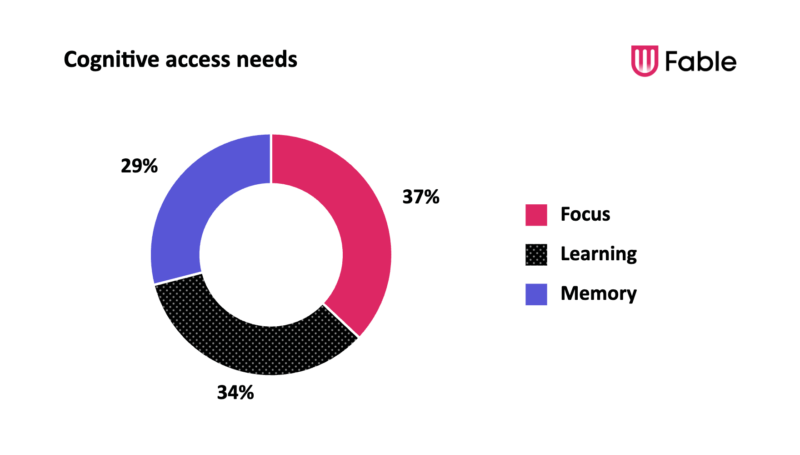
Cognitive access needs
- Focus – 37%
- Learning – 34%
- Memory – 29%
Assistive Technology
Specific assistive technologies are used by our Community across laptop, desktop, and mobile devices, further shaping how content is perceived, how products are navigated, and how tasks are completed. For some accommodation types, like screen reader, this refers to specific tools such as JAWS on desktop or TalkBack on an Android phone.
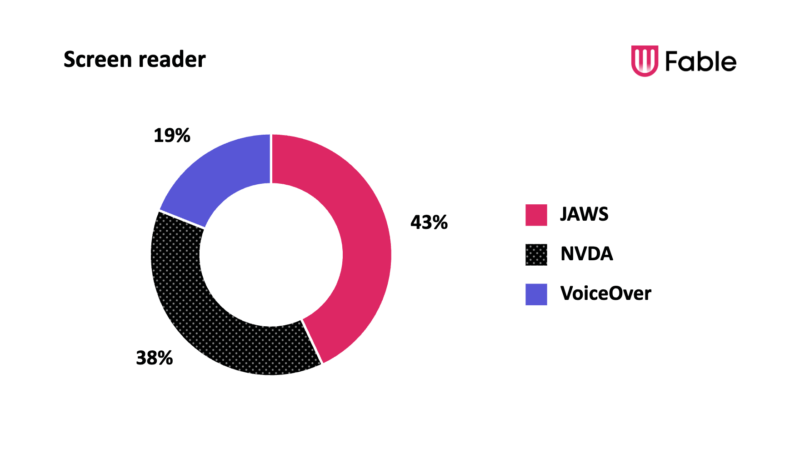
Screen reader
- JAWS – 43%
- NVDA – 38%
- VoiceOver – 19%
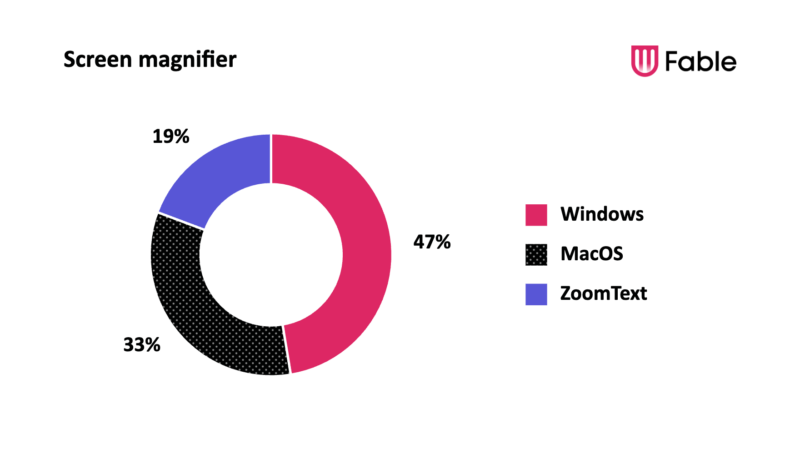
Screen magnifier
- Windows – 47%
- MacOS – 33%
- ZoomText – 19%
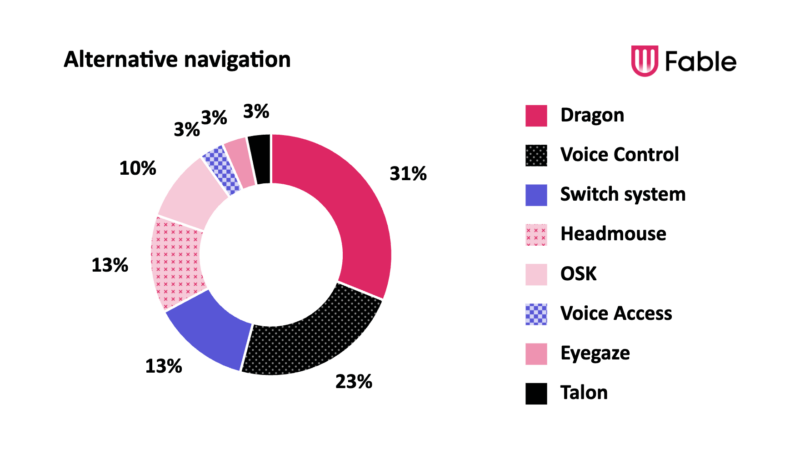
Alternative navigation
- Dragon – 31%
- Voice Control – 23%
- Switch system – 13%
- Headmouse – 13%
- OSK – 10%
- Voice Access – 3%
- Eyegaze – 3%
- Talon – 3%
Multiple assistive technology usage
Assistive technology use is often layered, with people frequently combining tools and then adapting how they use them based on the device and context. Choice of tool, device, and operating system can be shaped by the effort of device switching, the time it takes to switch tools, and the energy required to complete a task.
| Assistive technology usage | Percentage of Fable’s Community |
|---|---|
| Use 2+ assistive technologies together every day | 43% |
| Same primary accommodation on laptop/desktop and mobile | 90% |
| Different primary accommodation on laptop/desktop and mobile | 10% |
Fable gives teams access to people who can surface problems that only appear when tools are layered together, such as:
-
focus issues with screen readers
-
zoom and layout conflicts
-
interaction problems across voice, switch, and keyboard alternatives
-
mobile, desktop, and laptop differences in accessibility
This multi-tool use is especially important because it reflects the way accessibility happens in practice — not as a single-tool experience, but through layered patterns of assistive technology use that shape digital experiences.
Devices and operating systems
Fable’s panel can provide feedback across multiple devices and operating systems to replicate the variety you’d see in your customer base. That coverage matters because the same type of assistive technology can behave differently depending on the device or operating system it is used on, which means the same product can create different barriers under different conditions. By covering those combinations, teams catch issues that may be missed otherwise.
Primary OS by device
| Laptop / desktop OS | % of Fable’s Community |
|---|---|
| Windows | 76% |
| Mac | 23% |
| ChromeOS | 1% |
| Mobile OS | % of Fable’s Community |
|---|---|
| iOS | 69% |
| Android | 31% |
Screen reader
| Laptop/desktop OS | % of screen reader Community |
|---|---|
| Windows | 81% |
| Mac | 19% |
| Mobile OS | % of screen reader Community |
|---|---|
| iOS | 82% |
| Android | 18% |
Screen magnifier
| Laptop/desktop OS | % of screen magnification Community |
|---|---|
| Windows | 67% |
| Mac | 33% |
| Mobile OS | % of screen magnification Community |
|---|---|
| Windows | 64% |
| Mac | 36% |
Alternative Navigation
| Laptop/desktop OS | % of alternative navigation Community |
|---|---|
| Windows | 83% |
| Mac | 16% |
| ChromeOS | 1% |
| Mobile OS | % of alternative navigation Community |
|---|---|
| iOS | 60% |
| Android | 40% |
Cognitive
| Laptop/desktop OS | % of cognitive Community |
|---|---|
| Windows | 56% |
| Mac | 33% |
| ChromeOS | 11% |
| Mobile OS | % of cognitive Community |
|---|---|
| iOS | 61% |
| Android | 39% |
Demographics
These demographics give an overview of diversity in Fable’s Community across geography, age, gender, and ethnicity. Demographics offer useful context, but they are not always the primary driver of quality in accessibility research. Factors like access needs, assistive technology proficiency, device context, and lived experience often have a greater impact. For teams just getting started, building momentum through real insights is more important than targeting demographic or behavioural segments.
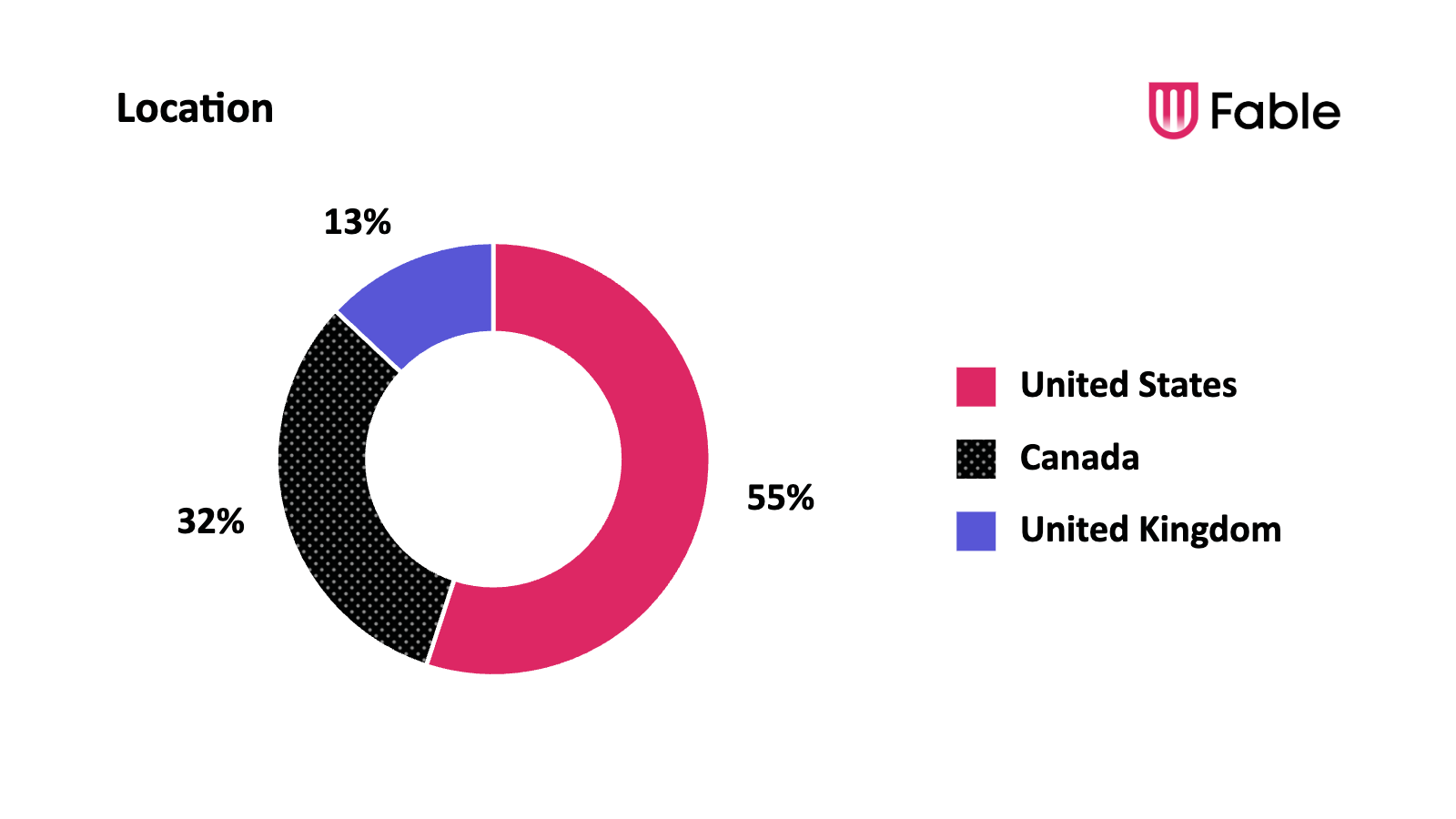
Location
- United States – 55%
- Canada – 32%
- United Kingdom – 13%
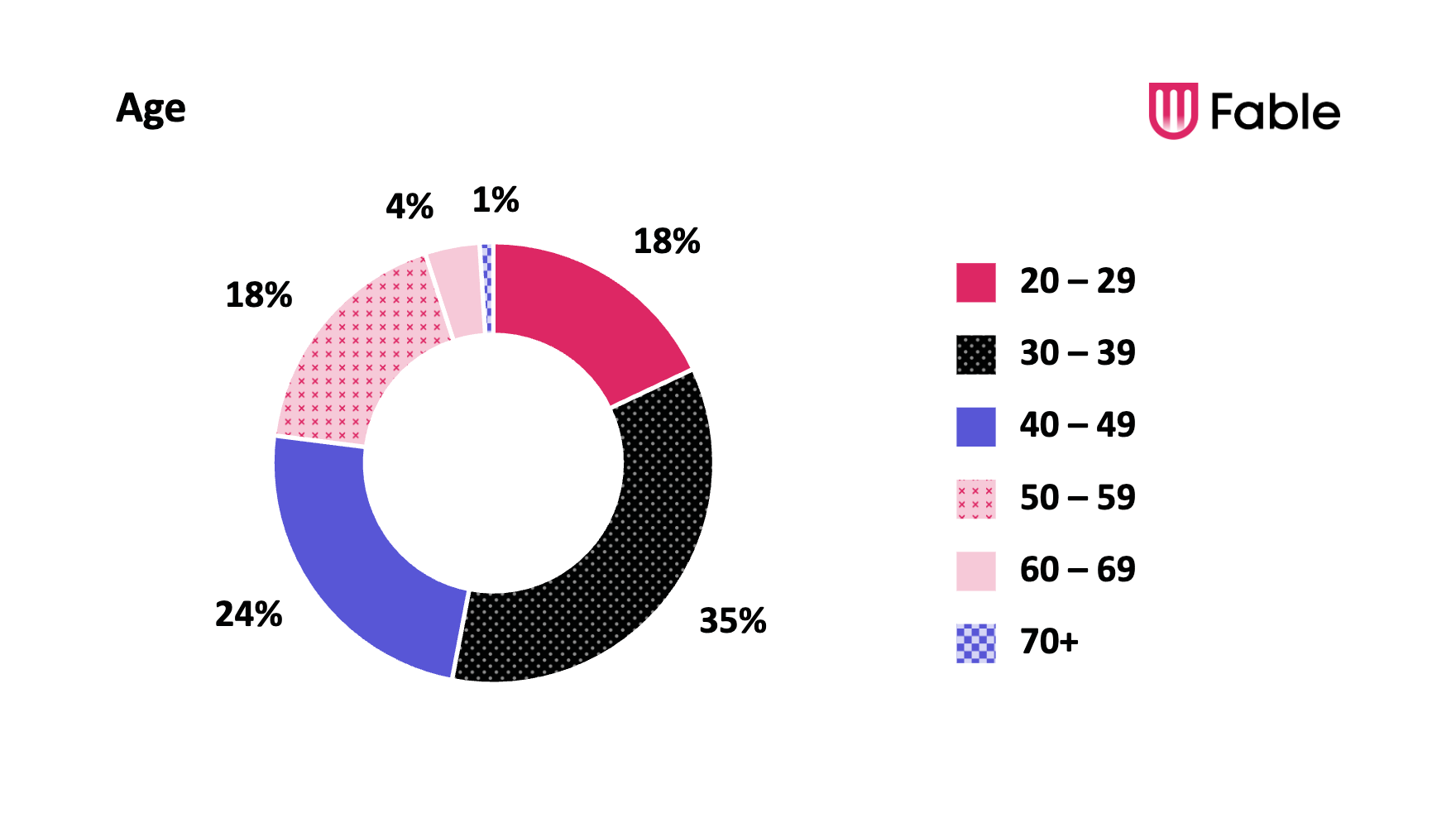
Age group
- 20 – 29: 18%
- 30 – 39: 35%
- 40 – 49: 24%
- 50 – 59: 18%
- 60 – 69: 4%
- 70+: 1%
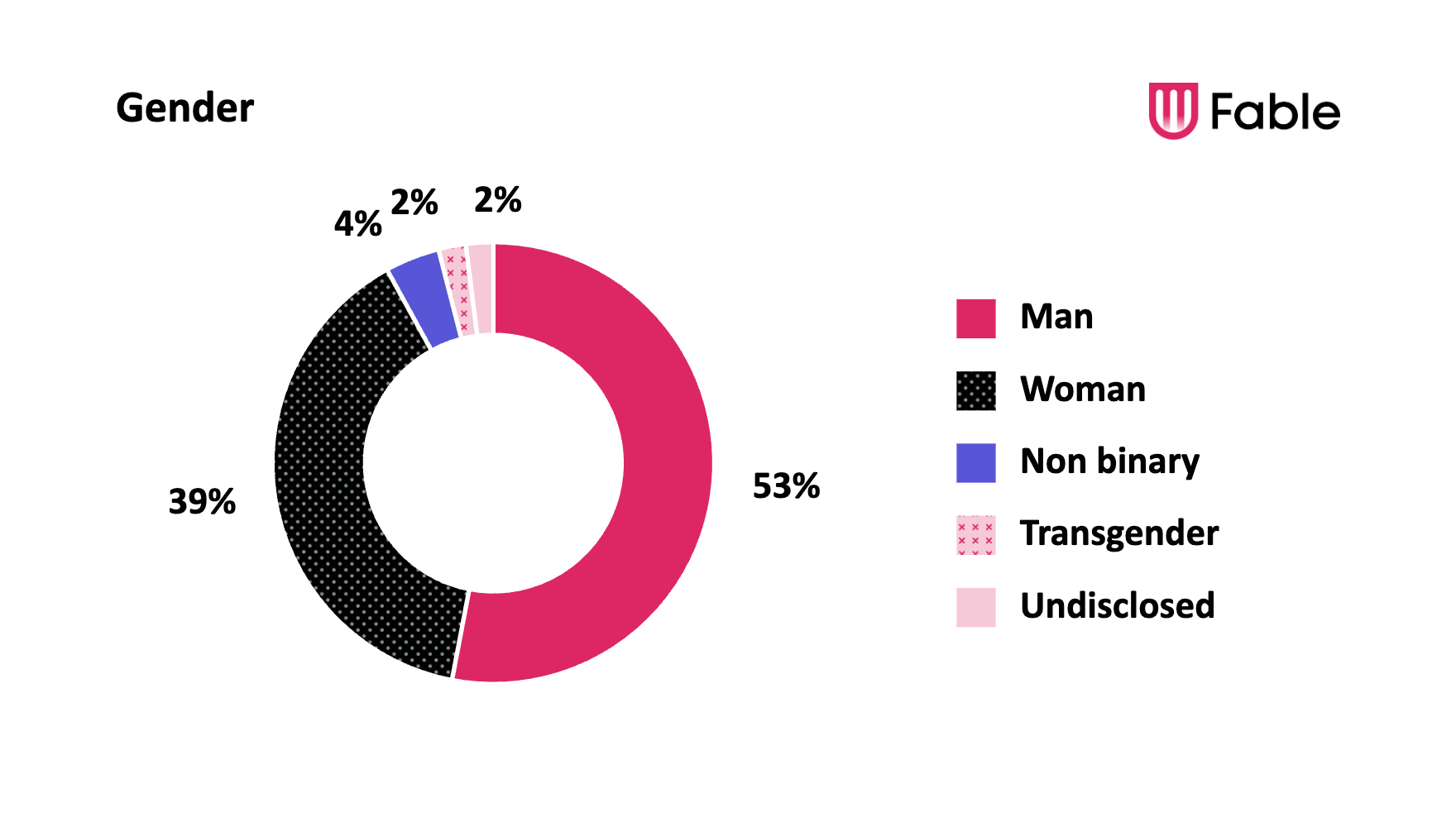
Gender
- Man – 53%
- Woman – 39%
- Non binary – 4%
- Transgender – 2%
- Undisclosed – 2%
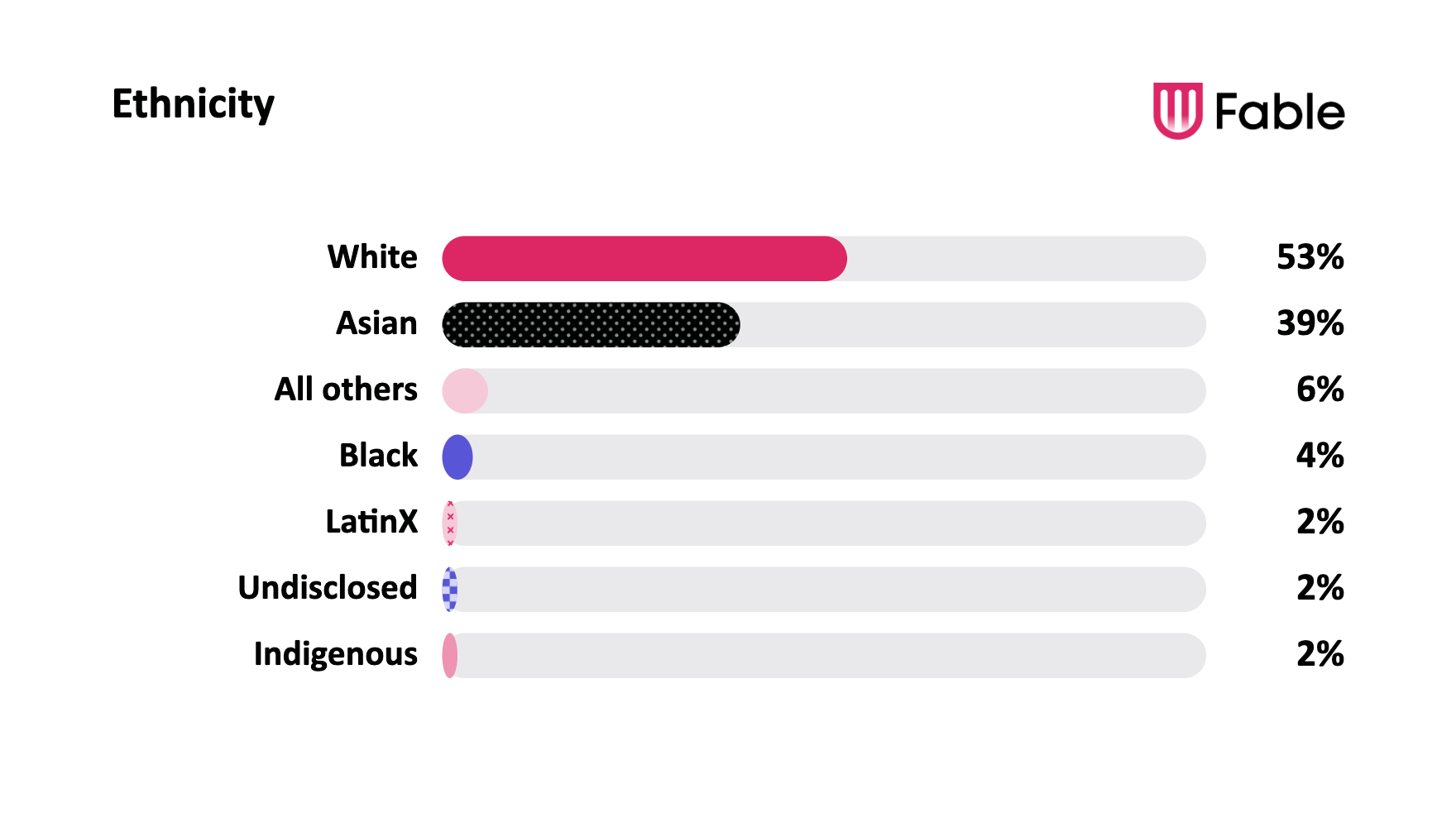
Ethnicity
- White – 53%
- Asian – 39%
- All others – 6%
- Black – 4%
- LatinX – 2%
- Undisclosed – 2%
- Indigenous – 2%
Note: Ethnicity was multi-select, so totals may exceed 100%. Limited access to disability supports and assistive technology contributes to the underrepresentation of racialized communities in our panel.
In conclusion
Fable’s community is intentionally built for quality, bringing together vetted participants with relevant access needs, assistive technology expertise, and lived experience. This foundation enables teams to generate insights they can trust.
Accessibility research with Fable helps teams to:
- test with assistive technology users before launch
- understand how an accessibility issue impacts real users
- compare experiences across devices, operating systems, or assistive technologies
- include cognitive accessibility perspectives in user research
- validate whether accessibility improvements are actually working
- collect video evidence to build internal alignment
Previous versions
View previously published versions of Fable’s community panel reports below: