
AI Insights
Fable’s AI-powered features help teams reduce research analysis time and move from data to insights faster.
Manage AI settings
Administrators can enable or disable Fable AI in Settings.
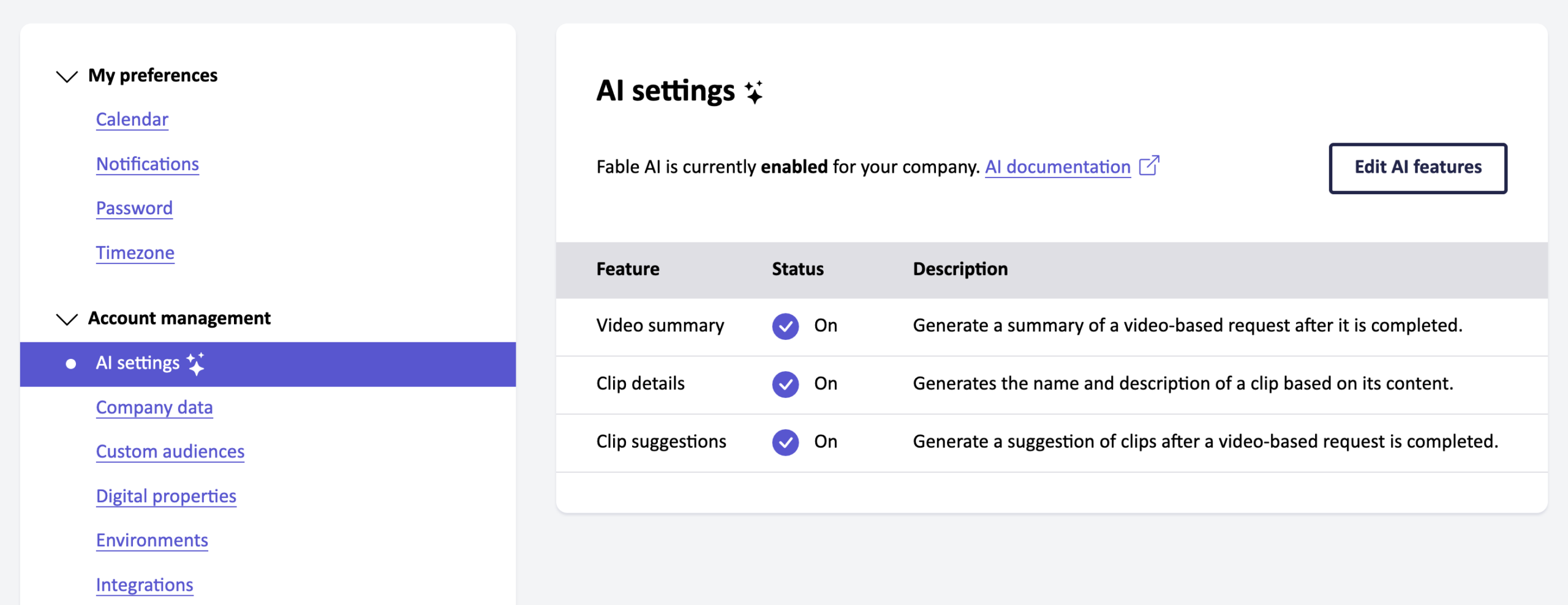
Edit AI settings to enable or disable Fable AI for your organization overall.
Select which AI-powered features are enabled for your organization.
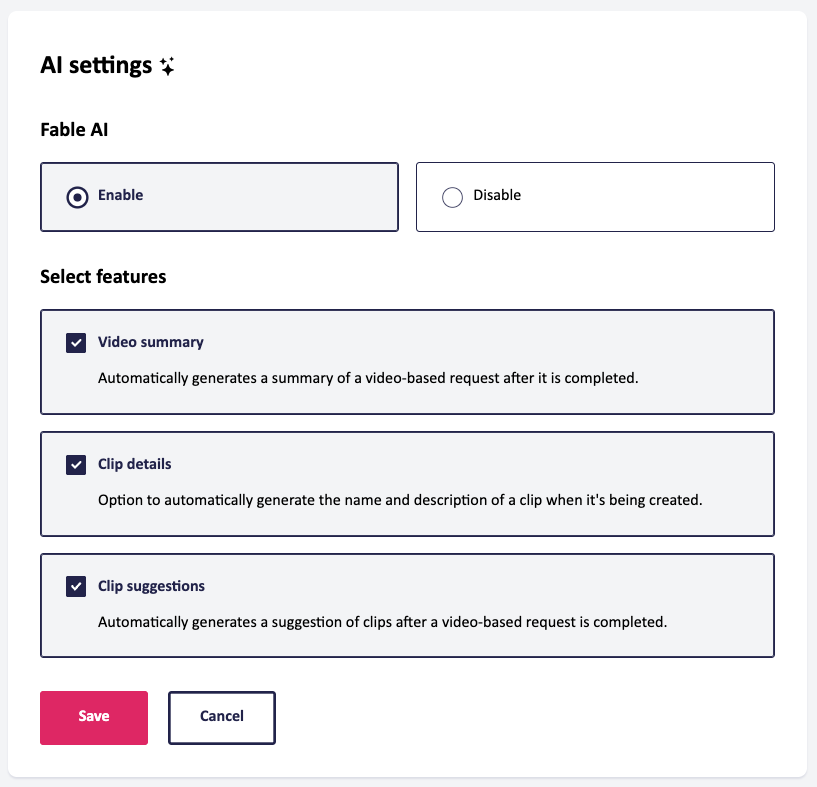
AI-powered features
Video-based requests, such as user interviews, self-guided tasks, prototype reviews, and QA sessions, leverage AI-powered features to help you uncover accessibility insights faster.
Discover the AI features on the Results page of a video-based request.
Suggested clips
Save time in research analysis with auto-generated interesting moments on video-based requests.
When a request is completed, a list of suggested clips is generated and linked to a time range in the video recording. The time range, title, and description of clip suggestions can be edited, so you can maintain full control over research outputs.
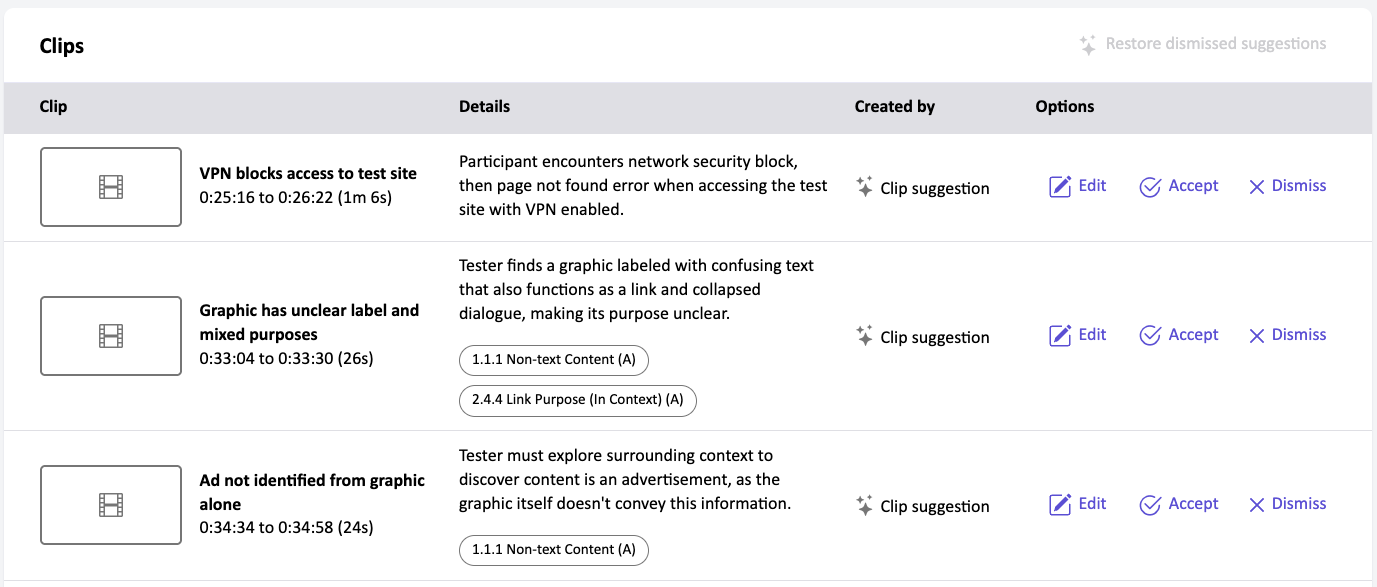
Accepting a suggested clip will process it into a shareable, downloadable clip. Dismissing a clip will remove it from the Clips table. Dismissed clips can be restored using the Restore clip suggestions button.
Suggested clips containing accessibility issues will be tagged with related WCAG success criteria. WCAG success criteria can be removed by editing the suggested clip.
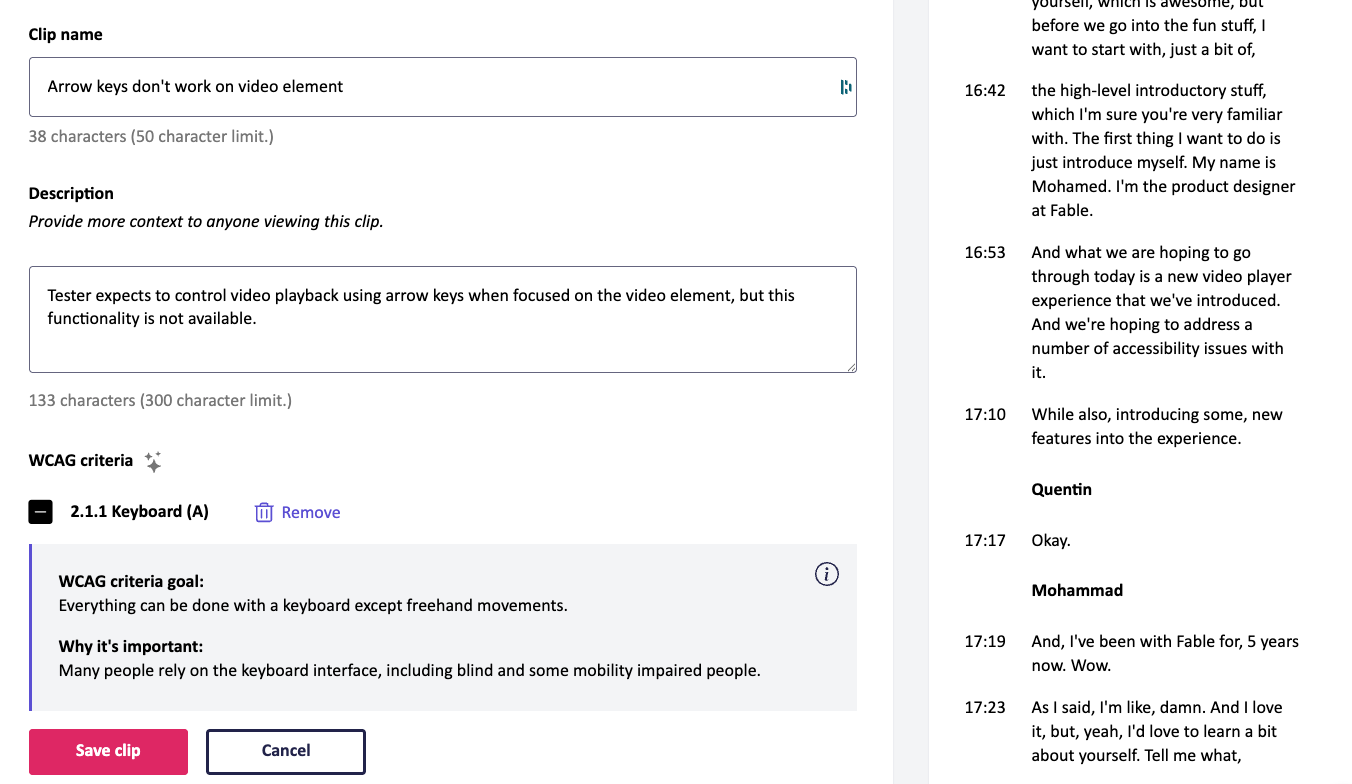
This feature leverages Anthropic’s Claude Sonnet 4 and Claude Sonnet 4.5 models.
Clip details
While creating a clip, Fable can generate the clip title and description for you, enabling you to share insights faster and more efficiently.
This feature leverages Amazon’s Nova Micro model.
Video summary
Understand top insights faster with an auto-generated summary on video-based requests.
New completed requests automatically have a summary generated based on the transcript. You can also generate a summary on past requests.
This feature leverages Anthropic’s Claude Sonnet 4.5 model.
Support and troubleshooting
If you have questions or require platform support, email support@makeitfable.com.